User Identity Verification
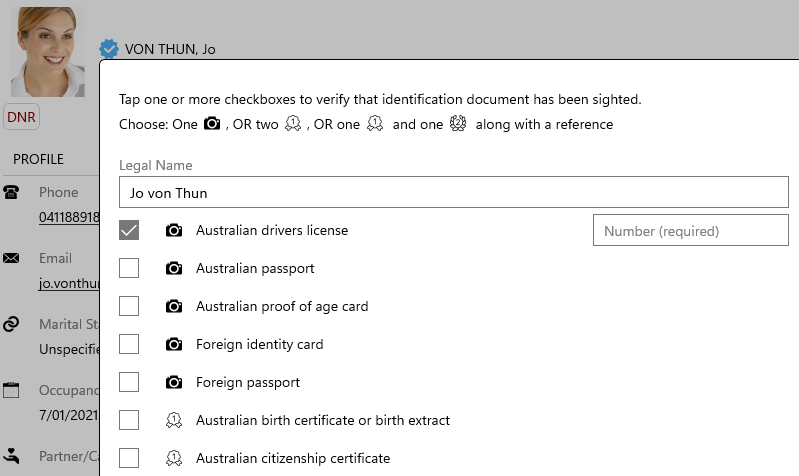
User identity verification using Sighted Method
As part of your regulatory compliance obligations under Anti-Money Laundering and Counter-Terrorism Financing (AML/CTF) legislation, you must verify the identity of all users.
Once a user is successfully verified, the system displays a blue tick next to their name.
Follow these steps to complete the identity verification process:
- Tap the gray outline ribbon on Client page, or the unverified button on Settlement page next to the name.
- Select a verification method from the prescribed list
- Tap Save to confirm
Important: If the village requires resident verification prior to move-in, you must complete the verification process first, or the system will display ALL PROSPECTIVE RESIDENTS MUST BE VERIFIED and block the transfer.