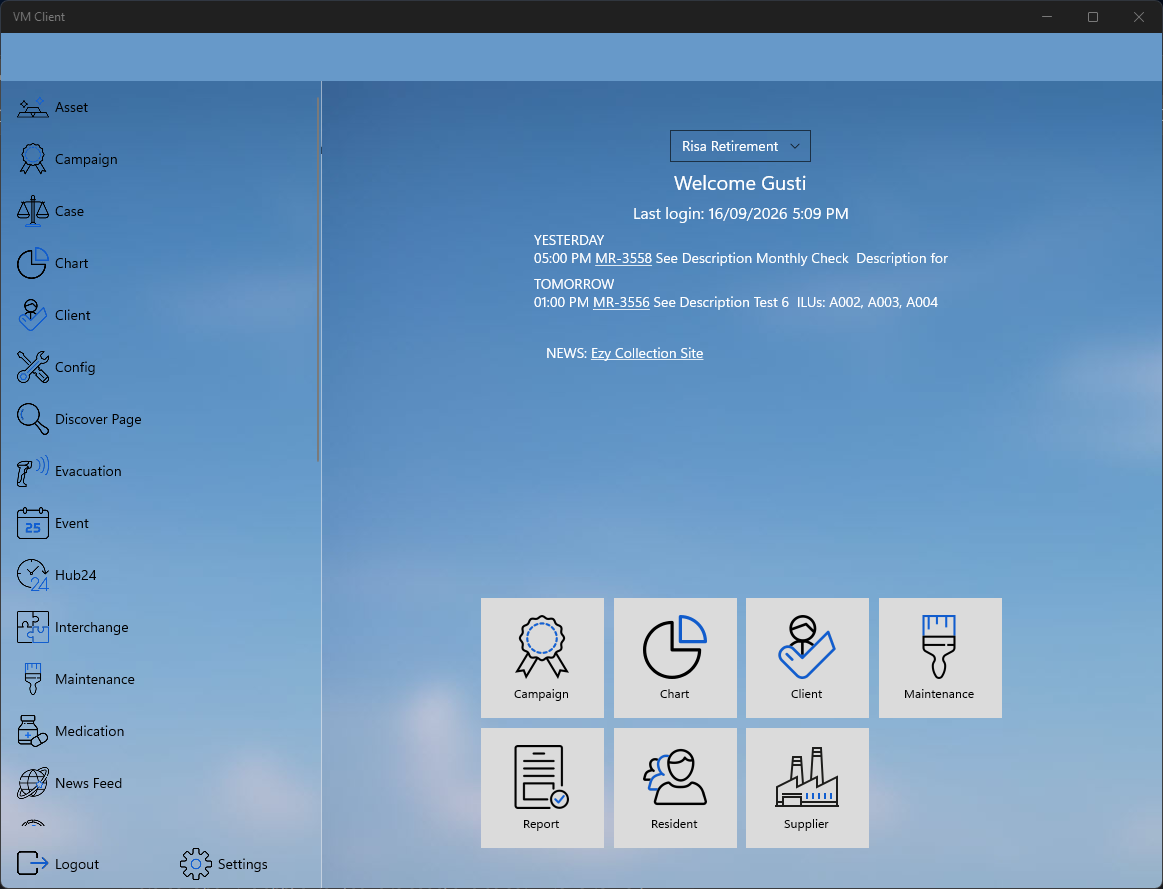
Home Page
Anatomy of the home page
The homepage features a split-screen layout with a navigation menu on the left and a detailed view on the right.
- Menu Selection:Tap any menu item to select a program and view its details on the right side of the screen.
- Header Information: The top of the page displays the village name, your username, and your last login date.
- Activity Log: Recent activities—including those from yesterday, today, and tomorrow—are displayed directly below the login details.
- Program Shortcuts: The bottom section features a list of your most frequently used programs for quick access.
- Role-Based Access: Program visibility is tied to your account role. You will only see programs you are authorized to access.