Discharge resident
Discharging a resident from the village or transfer to another ILU in the same village
Navigation
- Home | Resident | Activity | Transfer/Discharge Resident
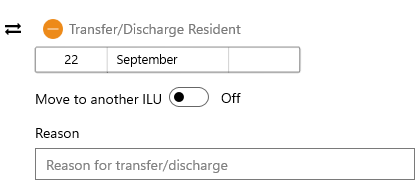
Follow these steps to discharge a resident (for example when the resident is leaving the village).
- Tap Resident on the Home page.
- Select the resident to discharge and tap Activity
- Tap Transfer/Discharge Resident and enter Reason for discharge.
- Tap Save
If a resident is transfering to another ILU, follow these steps:
- Tap Resident on the Home page.
- Select the resident to discharge and tap Activity
- Tap Transfer/Discharge Resident and turn the "Move to another ILU" slider to ON
- Select the target ILU from the list
- Tap Save